On Sale
-
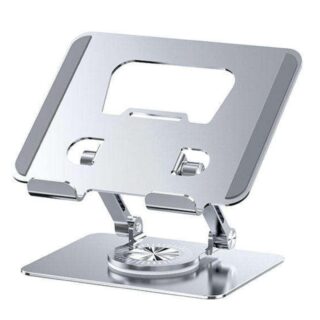 Adjustable Laptop Stand with 360° Rotating Base
Original price was: KSh 4,499.KSh 3,999Current price is: KSh 3,999. +VAT
Adjustable Laptop Stand with 360° Rotating Base
Original price was: KSh 4,499.KSh 3,999Current price is: KSh 3,999. +VAT
-
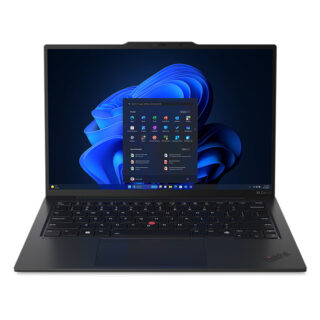 Lenovo ThinkPad X1 Carbon G12 Ultra 7 Laptop. 14" 16GB/512GB
Original price was: KSh 299,000.KSh 294,000Current price is: KSh 294,000. +VAT
Lenovo ThinkPad X1 Carbon G12 Ultra 7 Laptop. 14" 16GB/512GB
Original price was: KSh 299,000.KSh 294,000Current price is: KSh 294,000. +VAT
-
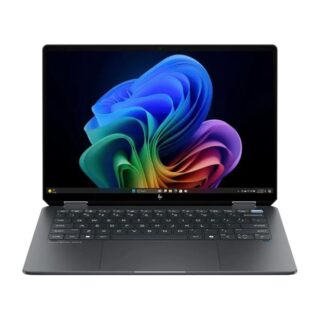 HP OmniBook Ultra Flip Laptop 14, Core Ultra 9 - 32GB/2TB SSD
Original price was: KSh 252,000.KSh 244,500Current price is: KSh 244,500. +VAT
HP OmniBook Ultra Flip Laptop 14, Core Ultra 9 - 32GB/2TB SSD
Original price was: KSh 252,000.KSh 244,500Current price is: KSh 244,500. +VAT
-
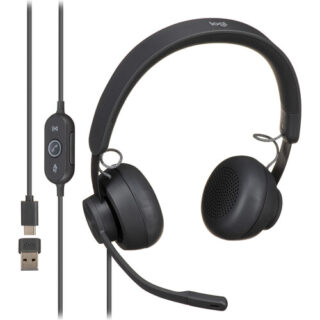 Logitech Zone Wired On-Ear Headset
Original price was: KSh 15,000.KSh 14,500Current price is: KSh 14,500. +VAT
Logitech Zone Wired On-Ear Headset
Original price was: KSh 15,000.KSh 14,500Current price is: KSh 14,500. +VAT
-
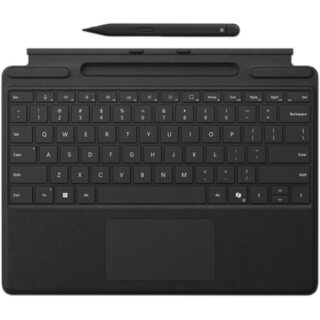 Microsoft Surface Pro Keyboard Cover with Slim Pen 2
Original price was: KSh 56,000.KSh 51,000Current price is: KSh 51,000. +VAT
Microsoft Surface Pro Keyboard Cover with Slim Pen 2
Original price was: KSh 56,000.KSh 51,000Current price is: KSh 51,000. +VAT
-
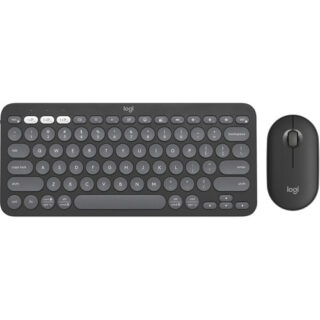 Logitech Pebble 2 Wireless Keyboard and Mouse Combo
Original price was: KSh 9,000.KSh 8,500Current price is: KSh 8,500. +VAT
Logitech Pebble 2 Wireless Keyboard and Mouse Combo
Original price was: KSh 9,000.KSh 8,500Current price is: KSh 8,500. +VAT
-
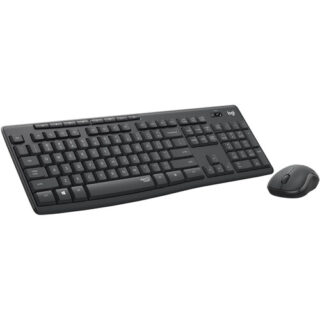 Logitech MK295 Silent Wireless Keyboard & Mouse Combo
Original price was: KSh 5,000.KSh 4,500Current price is: KSh 4,500. +VAT
Logitech MK295 Silent Wireless Keyboard & Mouse Combo
Original price was: KSh 5,000.KSh 4,500Current price is: KSh 4,500. +VAT


Dell 14″ Latitude 5420 Core i7-11th Gen Notebook
Original price was: KSh 55,000.KSh 47,500Current price is: KSh 47,500. +VAT
-
2.8 GHz Intel Core i7 4-Core (11th Gen)
-
16GB DDR4 RAM | 256GB SSD
-
14″ 1920 x 1080 LCD Display
-
Integrated Intel Iris Xe Graphics
-
microSD Card Slot | Fingerprint Reader
-
Thunderbolt 4 | USB 3.2 Gen 1 | HDMI
-
Wi-Fi 6 (802.11ax) | Bluetooth 5.1
-
Gigabit Ethernet Port
-
User-Facing 720p Webcam
-
Windows 10 Pro
Ideal for the traveling business professional, the Dell 14″ Latitude 5420 Notebook sports a slim design while offering robust functionality and performance, allowing you to run your most important programs whether you are at the office or out and about.
At the heart of the Latitude is an 11th Gen 2.8 GHz Intel Core i7 accompanied by 16GB of 3200 MHz DDR4 RAM and a 256GB SSD, allowing you to efficiently run a wide range of business-level software. The 14″ 1920 x 1080 resolution display is backed by integrated Intel Iris Xe Graphics, producing a clean and smooth image suitable for work and play. Connect resource-demanding devices to the Latitude with two Thunderbolt 4 ports, giving you data transfer speeds up to 40 Gb/s for quick file migration, daisy chain multiple compatible devices for a streamlined desktop setup, and even support external displays for additional screen real estate. Connect devices such as mice and storage drives with two USB 3.2 Gen 1 Type-A ports or use wireless peripherals with Bluetooth 5.1 technology. An HDMI 2.0 port allows you to connect your Latitude to a wide range of displays so you can easily conduct presentations. Upload and download documents and files with Wi-Fi 6 (802.11ax) networking or use the Gigabit Ethernet port for hardwired network access.
Thunderbolt 4 Ports
Peripheral Support
Wi-Fi 6 Connectivity
Security Enhancements
Fingerprint Reader
Smart Card
NFC Functionality
Windows 10 Pro
Start Menu
Cortana
Microsoft Edge
Windows Store
Windows Continuum
Xbox on Windows 10
Additional Windows 10 Pro Features
You may also like…
-
Dell 13.3″ Latitude 5300 Core i7-8th Gen Touchscreen Laptop
Original price was: KSh 36,000.KSh 32,000Current price is: KSh 32,000. +VATAdd to cart-
1.9 GHz Intel Core i5-8665U Quad-Core
-
8GB DDR4 RAM | 256GB PCIe M.2 SSD
-
13.3″ 1920 x 1080 Anti-Glare Touchscreen Display
-
Integrated Intel UHD Graphics 620
-
microSD Card Reader | microSIM Card Slot
-
USB 3.1 Gen 1 | HDMI 1.4b
-
Wi-Fi 5 (802.11ac) | Bluetooth 5.0
-
Gigabit Ethernet Port
-
Built-In 720p Webcam, Mics, and Speakers
-
Windows 11 Pro (64-Bit)
-
-

HP 200 G4 All-in-One PC, Core i3-10110U 4GB RAM/1TB HDD
KSh 73,000 +VATAdd to cartHP 200 G4 All-in-One Desktop PC – 10th Generation Intel Core i3-10110U Processor (4M Cache, 2.10 GHz, up to 4.10 GHz, 2 cores), 4GB DDR4 2666MHz RAM, 1TB Hard Drive, 21.5-inch Full HD Anti-glare IPS LED Display (1920 x 1080), DVD-RW Drive, Intel UHD Graphics 620, 5MP HD Pull-up Webcam, Stereo Speakers, Integrated Dual Array Digital Microphone, Bluetooth 4.2. Includes HP USB Keyboard and Mouse, Windows 10 Pro 64-Bit
-

Transcend 4TB StoreJet 25H3 External Hard Drive
KSh 18,500 +VATAdd to cartBus powered with the USB 3.0 interface, the StoreJet 25H3 has 4 TB of storage. For backing up your data, the drive comes equipped with a one-touch Auto-backup button. You will also receive the Transcend Elite backup and security software.
-
Hp Victus 15.6″ Core i7-13th Gen Gaming Laptop
Original price was: KSh 149,000.KSh 144,000Current price is: KSh 144,000. +VATAdd to cart- 2.4 GHz Intel Core i7 14-Core (13th Gen)
- 16GB DDR5 | 512GB M.2 NVMe PCIe SSD
- 15.6″ FHD 1920 x 1080 144 Hz IPS Display
- NVIDIA GeForce RTX 4060 (8GB GDDR6)
- HDMI 2.1 | USB-C | USB-A
- Gigabit Ethernet
- Wi-Fi 6E (802.11ax) | Bluetooth 5.3
- HP FHD 1080p Webcam with Privacy Shutter
- RGB Backlit Keyboard with Numeric Keypad
- Windows 11 Home


Related products
-
Promate PowerCube-PD80, 80W Quick Charging Multi-Port Charging Station
Original price was: KSh 7,500.KSh 6,500Current price is: KSh 6,500. +VATAdd to cartInput: AC 100-240V 50/60Hz
Total Output: 80W
USB-C1: 5V/3A, 9V/3A, 12V/3A, 15V/3A, 20V/3A(60W Max)
USB-C2: 5V/3A, 9V/2.22A, 12V/1.67A (20W Max)
QC 3.0: 5V/3A, 9V/2A, 12V/1.5A (18W Max)
2* USB-A: 5V 2.4A
Input Interface: Wall Socket
Output Interface: 2*USB-C Power Delivery, 3* USB-A
-
Promate Samo, Dual Mode Rechargeable Wireless Mouse with BT & RF Connectivity
Original price was: KSh 3,400.KSh 3,100Current price is: KSh 3,100. +VATAdd to cartBluetooth Version: V5.1
Bluetooth Profiles: HID
Bluetooth Frequency: 2402MHz-2480MHz
Bluetooth Chipset: 6621DS
Wireless Frequency: 2402MHz-2480MHz
Input Rating: 3.7V/8mA
Sensor Resolution: 800-1200-1600dpi
Battery Type: Lithium-Ion
Battery Capacity: 500mAh
Wireless Range: 7-10M
Charging time: 2.5hrs
Working/Usage time: 70hrs
Input Port Type: USB-C
Charging Cable Length: 50cm
-
Anker Soundcore Life U2i Wireless Headphones (Upgraded) – Blue
Original price was: KSh 4,000.KSh 3,200Current price is: KSh 3,200. +VATAdd to cartCrystal Clear Calls
24 Hours Playtime
High-Quality Sound via 10mm Drivers
Foldable & Lightweight
iPX5 Water-Resistant
-
Promate PowerPack-10C Fast Charging Power Bank with AC Charger & Built-In USB-C Cable
Original price was: KSh 6,500.KSh 6,000Current price is: KSh 6,000. +VATAdd to cartBattery Capacity: 3.6V/10000mAh; 36Wh
Battery Type: Lithium-ion
AC Input: AC 100-240V,50/60HZ,0.3A
USB-C Input:5V/2.5A, 9V/2A, 12V/1.5, (18W)
USB-C Output:5V/2.4A, 9V/2.22A, 12V/1.6A, (20W)
USB-A Output:5V/3A,5V/4.5A(SCP),9V/2A,12V/1.5A, (22.5W)
USB-C Cable output:5V/2.4A, 9V/2.22A,12V/1.6A (20W)
AC Charging Time: 5.5~6hrs
DC Charging Time: 3.5hrs
Charging Cable Length: 88mm
Total output:
AC Charge Mode: 5V/2A
Power Bank Mode:5V/3A
In flight approved


Reviews
There are no reviews yet.