On Sale
-
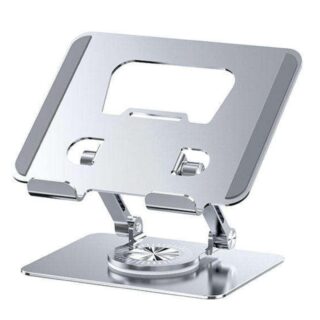 Adjustable Laptop Stand with 360° Rotating Base
Original price was: KSh 4,499.KSh 3,999Current price is: KSh 3,999. +VAT
Adjustable Laptop Stand with 360° Rotating Base
Original price was: KSh 4,499.KSh 3,999Current price is: KSh 3,999. +VAT
-
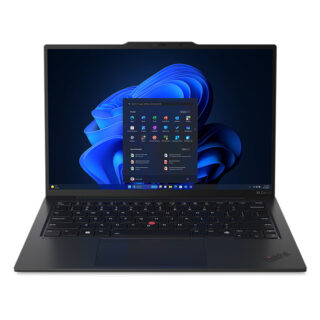 Lenovo ThinkPad X1 Carbon G12 Ultra 7 Laptop. 14" 16GB/512GB
Original price was: KSh 299,000.KSh 294,000Current price is: KSh 294,000. +VAT
Lenovo ThinkPad X1 Carbon G12 Ultra 7 Laptop. 14" 16GB/512GB
Original price was: KSh 299,000.KSh 294,000Current price is: KSh 294,000. +VAT
-
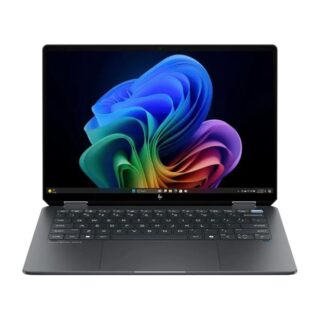 HP OmniBook Ultra Flip Laptop 14, Core Ultra 9 - 32GB/2TB SSD
Original price was: KSh 252,000.KSh 244,500Current price is: KSh 244,500. +VAT
HP OmniBook Ultra Flip Laptop 14, Core Ultra 9 - 32GB/2TB SSD
Original price was: KSh 252,000.KSh 244,500Current price is: KSh 244,500. +VAT
-
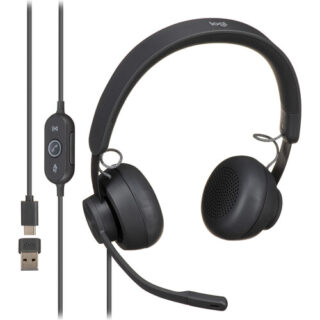 Logitech Zone Wired On-Ear Headset
Original price was: KSh 15,000.KSh 14,500Current price is: KSh 14,500. +VAT
Logitech Zone Wired On-Ear Headset
Original price was: KSh 15,000.KSh 14,500Current price is: KSh 14,500. +VAT
-
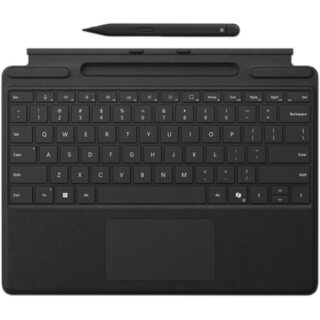 Microsoft Surface Pro Keyboard Cover with Slim Pen 2
Original price was: KSh 56,000.KSh 51,000Current price is: KSh 51,000. +VAT
Microsoft Surface Pro Keyboard Cover with Slim Pen 2
Original price was: KSh 56,000.KSh 51,000Current price is: KSh 51,000. +VAT
-
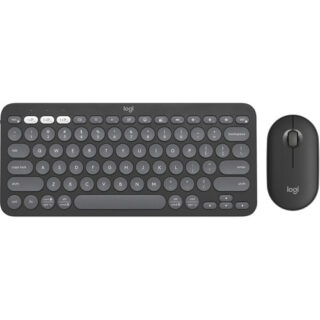 Logitech Pebble 2 Wireless Keyboard and Mouse Combo
Original price was: KSh 9,000.KSh 8,500Current price is: KSh 8,500. +VAT
Logitech Pebble 2 Wireless Keyboard and Mouse Combo
Original price was: KSh 9,000.KSh 8,500Current price is: KSh 8,500. +VAT
-
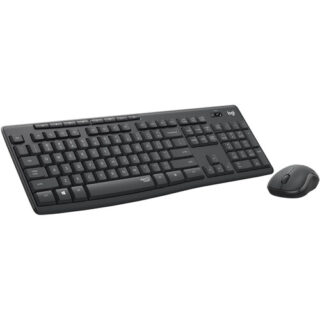 Logitech MK295 Silent Wireless Keyboard & Mouse Combo
Original price was: KSh 5,000.KSh 4,500Current price is: KSh 4,500. +VAT
Logitech MK295 Silent Wireless Keyboard & Mouse Combo
Original price was: KSh 5,000.KSh 4,500Current price is: KSh 4,500. +VAT


Dell 14″ Latitude 5420 Core i7-11th Gen Notebook
Original price was: KSh 55,000.KSh 47,500Current price is: KSh 47,500. +VAT
-
2.8 GHz Intel Core i7 4-Core (11th Gen)
-
16GB DDR4 RAM | 256GB SSD
-
14″ 1920 x 1080 LCD Display
-
Integrated Intel Iris Xe Graphics
-
microSD Card Slot | Fingerprint Reader
-
Thunderbolt 4 | USB 3.2 Gen 1 | HDMI
-
Wi-Fi 6 (802.11ax) | Bluetooth 5.1
-
Gigabit Ethernet Port
-
User-Facing 720p Webcam
-
Windows 10 Pro
Ideal for the traveling business professional, the Dell 14″ Latitude 5420 Notebook sports a slim design while offering robust functionality and performance, allowing you to run your most important programs whether you are at the office or out and about.
At the heart of the Latitude is an 11th Gen 2.8 GHz Intel Core i7 accompanied by 16GB of 3200 MHz DDR4 RAM and a 256GB SSD, allowing you to efficiently run a wide range of business-level software. The 14″ 1920 x 1080 resolution display is backed by integrated Intel Iris Xe Graphics, producing a clean and smooth image suitable for work and play. Connect resource-demanding devices to the Latitude with two Thunderbolt 4 ports, giving you data transfer speeds up to 40 Gb/s for quick file migration, daisy chain multiple compatible devices for a streamlined desktop setup, and even support external displays for additional screen real estate. Connect devices such as mice and storage drives with two USB 3.2 Gen 1 Type-A ports or use wireless peripherals with Bluetooth 5.1 technology. An HDMI 2.0 port allows you to connect your Latitude to a wide range of displays so you can easily conduct presentations. Upload and download documents and files with Wi-Fi 6 (802.11ax) networking or use the Gigabit Ethernet port for hardwired network access.
Thunderbolt 4 Ports
Peripheral Support
Wi-Fi 6 Connectivity
Security Enhancements
Fingerprint Reader
Smart Card
NFC Functionality
Windows 10 Pro
Start Menu
Cortana
Microsoft Edge
Windows Store
Windows Continuum
Xbox on Windows 10
Additional Windows 10 Pro Features
You may also like…
-

HDMI (M) to HDMI (F) Extension Cable
KSh 750 +VATAdd to cartUsed for connecting a HDMI device with a HDMI display – suitable for ultra HD 4K devices and TVs
-

Logitech M170 Wireless Mouse (Black)
KSh 1,800 +VATAdd to cartThe black M170 Wireless Mouse from Logitech is a standard wireless mouse with 2.4 GHz wireless connectivity via the included USB receiver.
-

Budi 65W Type C to Type C L-Shaped Fast Charging Sync Cable
KSh 1,450 +VATAdd to cartThe ergonomic L-shaped connector reduces strain on the cable and ports, enhancing durability and providing a more comfortable grip when using your device in landscape mode, making it ideal for gaming and video watching.
-
HP EliteBook 840 G6 Intel Core i7-8th Gen 16GB RAM/512GB SSD
Original price was: KSh 57,000.KSh 44,000Current price is: KSh 44,000. +VATAdd to cartUniquely designed for the modern mobile professional, the HP Elitebook 840 G6 is a highly secure and manageable PC offering powerful collaboration tools, enabling the enterprise workforce to be more productive and secure on the go or in the office.

Related products
-

Apple 24″ iMac with M4 Chip (MWUU3)
KSh 265,000 +VATAdd to cart- Apple M4 10-Core CPU
- 16GB Unified RAM | 256GB SSD
- 24″ 4480 x 2520 Retina Display
- 10-Core GPU | 16-Core Neural Engine
- P3 Color Gamut | True Tone Technology
- Wi-Fi 6E (802.11ax) | Bluetooth 5.3
- 4 x Thunderbolt 4 | GbE RJ45 | 3.5mm
- 12MP Center Stage Camera
- Includes Magic Keyboard & Magic Mouse
- macOS with Apple Intelligence
- Model: MWUU3
-
Apple 24″ iMac with M3 Chip (MQRQ3)
Original price was: KSh 219,000.KSh 212,000Current price is: KSh 212,000. +VATAdd to cart- Apple M3 8-Core CPU
- 8GB Unified RAM | 256GB SSD
- 24″ 4480 x 2520 Retina Display
- 10-Core GPU | 16-Core Neural Engine
- P3 Color Gamut | True Tone Technology
- Wi-Fi 6E (802.11ax) | Bluetooth 5.3
- 2 x Thunderbolt 3 | 2 x USB 3 | 1GbE
- Magic Keyboard w/ Touch ID & Magic Mouse
- FaceTime HD 1080p Camera
- macOS
- Model: MQRQ3
-
Promate Ken, Dual Mode Wireless Optical Mouse with BT & RF Connectivity
Original price was: KSh 2,900.KSh 2,600Current price is: KSh 2,600. +VATAdd to cartBluetooth Version: V5.2 or V3.0
Bluetooth Profiles: HID
Bluetooth Frequency: 2402MHz-2480MHz
Bluetooth Chipset: YC1011-T
Wireless Frequency: 2401MHz-2480MHz
Input Rating: 1.5V/12mA
Sensor Resolution: 800-1200-1600DPI
Wireless Range: 7-10m
Working/Usage time: 150hrs
Battery: 1 * AA
-
Promate PowerPod-10 Compact 35W SuperSpeed™ Power Bank with Built-In USB-C Cable
Original price was: KSh 6,800.KSh 5,800Current price is: KSh 5,800. +VATAdd to cartBattery Capacity: 10000mAh, 3.7V/37Wh
Battery Type: Lithium-ion
USB-C Input: 5V/3A, 9V/3A, 12V/2.5A, 15V/2A, 20V/1.75A
USB-C Output: 5V/3A, 9V/3A, 12V/2.5A, 15V/2A,20V/1.75A, PPS 3.3-11V/3A
USB-A Output: 5V/3A 9V/2A, 12V/1.5A
USB-C Cable Input: 5V/3A, 9V/3A, 12V/2.5A,15V/2A,20V/1.75A
USB-C Cable Output: 5V/3A,9V/3A, 12V/2.5A,15V/2A,20V/1.75A, PPS 3.3-11V/ 3A
Total Output: 35W


Reviews
There are no reviews yet.